





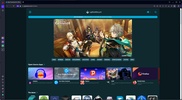
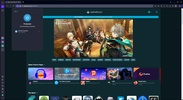
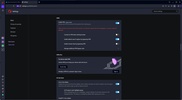
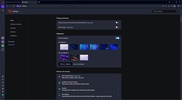
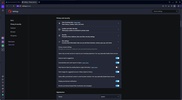
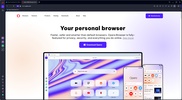

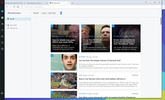

Opera is a free web browser developed by Opera Software. Launched in 1995, it is one of the most widely used browsers in the world thanks to its many features and focus on speed, privacy, security, and productivity. Opera uses the Chromium engine as a base, just like Google Chrome and Microsoft Edge, so it's compatible with many of their extensions and offers an excellent browsing experience.
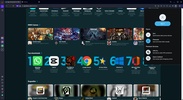
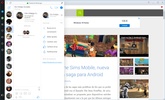
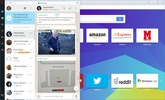
Of course, Opera has all the same features you'd expect from any of the main web browsers on the market. It allows you to open websites in tabs, save bookmarks, add extensions, and much more. Integrating apps natively with shortcuts, such as WhatsApp, Messenger, and TikTok, is also possible.
Speed Dial
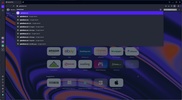
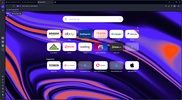
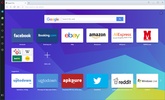
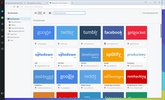
Opera has something called "Speed Dial", which is basically a home screen where you can add shortcuts to all your favorite websites. Popular websites are automatically added to this screen, but you can customize it by adding and removing whatever you want.
Integrated VPN
One of the most important features offered by Opera is the inclusion of a built-in VPN service, which differentiates it from other web browsers. To use it, click the "VPN" button next to the address bar and then the activation one. After that, you can surf the Internet with an external IP address, allowing you to access websites that are blocked in your country, as well as browse with better privacy. Using this VPN is free and has zero limitations.
Opera Turbo: save data while browsing the Internet
Another interesting feature offered by Opera is "Opera Turbo." If you activate it, the browser compresses website data before loading them on your device. Thanks to this, the loading time is reduced if you have a slow connection, and you can also save data if you don't have an unlimited plan.
Smartphone and desktop browser sync
If you use Opera on other devices, the "My Flow" feature allows you to send files, notes, and links between browsers, as well as sync your history. This makes the transition between devices much easier and faster.
Aria: Opera's AI for everyday use
Opera also offers integrated AI with Aria, its AI-powered assistant. This tool is free to use and can answer all kinds of questions related to your searches. It can also help you write emails, make presentations, write posts, or optimize your social media posts.
Workspaces: keep your tabs organized
Finally, Opera has a feature called "Workspaces" that allows you to organize tabs into different workspaces. Thanks to this, you can manage several tasks or projects at once and speed up your workflow.
Download Opera to enjoy one of the most complete web browsers on the market.
Frequent questions
Is it safe to use Opera's VPN?
Opera's VPN is free and 100% safe.
What advantages does Opera offer compared to Chrome and Firefox?
Opera is a fast and ad-free browser that reduces user tracking and comes with a free built-in VPN for anonymous and secure Internet browsing.
Can you password-protect Opera?
Opera doesn't have a native way to password-protect it, but there are extensions like "Set password for your browser" that do.
What's the difference between Opera and Opera Crypto Browser?
Opera lets you browse the Internet normally, whereas Opera Crypto Browser is designed to be compatible with Web3.


 115 reviews















Comments
Very good browser. Congratulations to Opera Software for creating a browser that meets the expectations of its users thanks to the various and smooth functions that this practical, useful, and versati...See more
Very good.
As a "bot" that responds to comments, Opera is very good! An excellent browser with VPN and ad blocker, I recommend it.
Thank you
excellent
The best.